Secondary domains for cold email: how to buy, configure and rotate them
Why cold email should never run on your main domain, how to choose and configure secondary domains, and how to rotate them so reputation damage stays contained.
The first rule of cold email infrastructure is not about warmup, copy or tooling. It is: never send cold email from the domain your company runs on. Secondary domains exist to make that rule practical. This guide covers how to choose them, how to set them up so providers trust them, and how to rotate them so that a bad week for one domain never becomes a bad month for your sales team.
Why secondary domains at all
Cold email is, by definition, unsolicited. Even well-targeted, well-written cold mail earns a share of spam complaints and a share of bounces, and both of those attach to the sending domain's reputation. If that domain is also the one your invoices, support replies and password resets come from, you have put the company's ability to email its own customers at risk to run a sales campaign.
A secondary domain isolates that risk. It looks like your brand, it forwards to your real site, but if its reputation is damaged you retire it and the rest of the business notices nothing.
Choosing domains
The goal is a domain that a recipient recognises as yours at a glance and that no provider flags as suspicious.
Stay close to the brand. If the company is Acme, good candidates look like getacme, acmehq, tryacme, acme-team or acme with a different top-level domain. Avoid anything a recipient would have to squint at.
Prefer common top-level domains. Established TLDs carry less baggage than very cheap or novelty ones, which some filters weight negatively. Paying a few dollars more per domain is trivial next to the cost of a campaign landing in spam.
Check history. Domains that have been registered before may have been used for something unpleasant. Look up the domain on the major blocklists and skim its archive history before buying.
Buy enough at once. Sizing follows the mailbox math: if you plan three mailboxes per domain and need 75 mailboxes, you need 25 domains plus spares for rotation. Buying in one batch also means one DNS setup session rather than twenty-five.
Configuration checklist
Every secondary domain should have the following in place before the first warmup message leaves it. In order:
- Forwarding. Redirect the bare domain and www to your main website so anyone who checks the sender lands somewhere real.
- SPF. Publish a TXT record authorising the mail servers that will send on the domain's behalf. Keep it to a single record and under the DNS lookup limit.
- DKIM. Generate signing keys through your mailbox provider and publish the selector records. Every provider you send through needs its own selector.
- DMARC. Publish a policy, even a monitoring-only one to start, with a reporting address you actually read. Move to a stricter policy once you have confirmed alignment.
- MX and a working inbox. A domain that cannot receive mail looks disposable. Make sure replies and bounces land somewhere.
- Custom tracking domain. If your sending tool tracks opens or clicks, point tracking at a subdomain you control rather than a shared one.
Skipping any of these is the most common reason a "warmed" domain still underperforms. Providers are looking for exactly the signals this list produces.
How many mailboxes per domain
Two or three is the usual guidance. The reasoning is blast radius: every mailbox on a domain inherits that domain's reputation, so a complaint spike on one mailbox pulls the others down with it. Fewer mailboxes per domain means more domains to manage but less correlated risk. More per domain is cheaper and simpler but a single problem takes out more of your sending capacity at once.
| Mailboxes per domain | Domains for 75 mailboxes | Capacity lost if one domain is burnt |
|---|---|---|
| 2 | 38 | About 3% |
| 3 | 25 | 4% |
| 5 | 15 | Nearly 7% |
Pick a number, but pick it knowing what you are trading.
Rotation: the part that keeps it working
Buying and configuring domains is a one-off project. Rotation is the ongoing discipline, and it has three parts.
Spread volume. Do not let one domain carry a disproportionate share of daily sends. Sending tools that round-robin across mailboxes handle this automatically; if yours does not, cap sends per mailbox and watch the distribution.
Stagger age. If every domain was bought and warmed on the same day, every domain hits reputation fatigue at roughly the same time. Bring new domains in on a rolling basis so the pool always contains a mix of fresh, established and retiring domains.
Retire on signal, not on schedule. Watch bounce rates, complaint rates and placement per domain. When a domain slips, pull it from rotation immediately, investigate, and either rest it or retire it. The decision is much easier when you already have warmed spares waiting; the hardest part of rotation is having capacity ready before you need it.
A practical cadence for a hand-managed setup is a monthly review of per-domain metrics, a rolling purchase of replacement domains at least a month before you expect to need them, and warmup starting the day a domain is configured.
The hidden cost is time
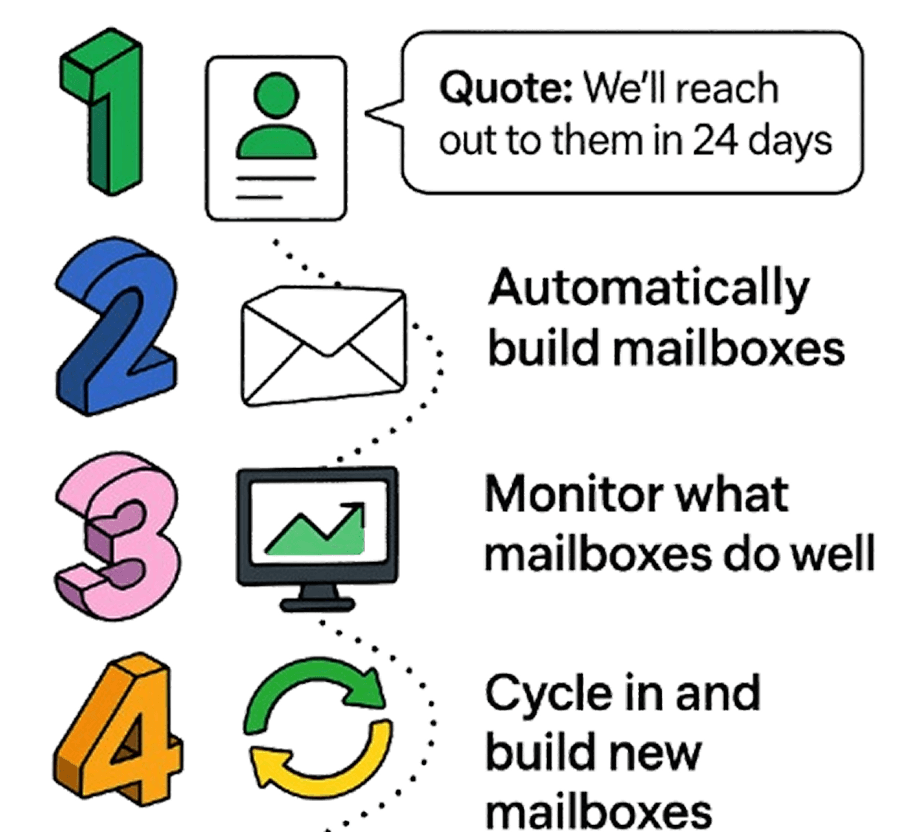
None of this is technically difficult. DNS records are DNS records. The cost is that it never stops: new domains to buy, records to publish, mailboxes to create and warm, metrics to check, retirements to action, and the whole cycle again next month. For a team whose job is booking meetings, that is a lot of hours spent being an accidental email administrator.
That is the gap Sender Pools was built to fill. We buy the domains, publish the records, create and warm the mailboxes across Google, Microsoft and our own SMTP infrastructure, monitor each one and cycle under-performers out, and you pay nothing for the domains or mailboxes themselves. If you would rather keep your team on copy and targeting, the pricing page shows how the per-send model works.


